An algorithm is a set of instructions used to solve a particular problem in a finite steps. It is a step-by-step procedure to solve the problem. These steps are generally written in English to understand them easily and later convert them into computer programs. These steps together are called algorithms.
Every algorithm has a clearly defined starting point, a sequence of instructions, and an expected result. Algorithms are widely used in programming, data processing, searching, sorting, artificial intelligence, and problem-solving.
What Is an Algorithm?
An algorithm is a finite sequence of well-defined step by step instructions used to solve a problem or perform a specific task. It takes zero or more inputs, processes them through a sequence of steps, and produces at least one output.
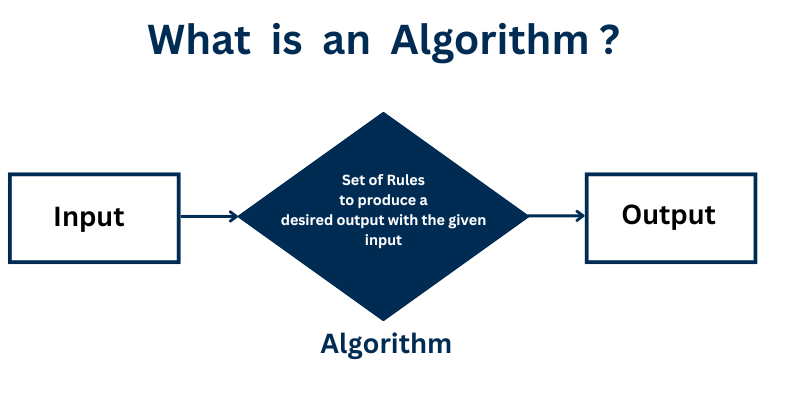
In computer science, algorithms are used to perform tasks such as sorting data, searching for information, calculating results, processing transactions, and making decisions.
For example, when you want to find the largest number from a list of numbers, an algorithm compares the numbers one by one and identifies the largest value.
An algorithm is like a recipe that explains how to complete a task through a sequence of instructions.
Key Features of an Algorithm
Some of the key feature of an algorithm are:
1. Finiteness
A good algorithm must always end after a certain number of steps. It should not go on forever or get stuck in a loop. This means the algorithm must have a clear stopping point where it finishes its work and gives the result.
Example: When adding the prices of all shopping items, the process stops after the last item is added — it doesn’t keep repeating.
2. Definiteness
Every step in an algorithm should be clear and easy to understand. There should be no confusion or double meaning in any instruction. Each step must tell exactly what to do so that anyone can follow it.
Example: While adding shopping prices, the instruction “add the next price to the total” is clear and simple.
3. Input
An algorithm should accept zero or more inputs before starting. Inputs are the data needed to perform the task.
Example: In the shopping total example, the list of item prices is the input given to the algorithm.
4. Output
An algorithm must produce at least one output that shows the result of the process. The output should be meaningful and directly related to the input.
Example: After adding all the shopping prices, the total amount spent is the output.
5. Effectiveness
Each instruction in an algorithm should be simple, clear, and practical. It should be something that can be easily done with basic operations.
Example: Adding each shopping price one by one is an effective and doable step.
How to Express an Algorithm
1. Natural Language
In this method, the algorithm is written in plain English sentences. It describes each step in a simple, everyday way. However, it can sometimes be difficult to understand clearly because natural language can be confusing or have multiple meanings. This makes it less suitable for complex problems or for computers to follow directly.
Example: Algorithm to Add Two Numbers
- Start.
- Read two numbers A and B.
- Calculate the sum of A and B.
- Display the sum.
- Stop.
Advantages
- Easy for beginners to understand.
- Does not require programming knowledge.
- Useful for explaining simple algorithms.
Limitation: Natural language instructions may sometimes become ambiguous when describing complex logic.
2. Flowchart
A flowchart represents the algorithm using diagrams and symbols. Each step of the process is shown through shapes such as rectangles (for processes), diamonds (for decisions), and arrows (to show the flow). This method makes it easier to visualize the logic and understand how the algorithm progresses from start to end.
Common flowchart symbols include:
| Symbol | Name | Purpose |
|---|---|---|
| Oval | Terminal | Start or end |
| Rectangle | Process | Perform an operation |
| Parallelogram | Input/Output | Read or display data |
| Diamond | Decision | Check a condition |
| Arrow | Flow line | Show the execution direction |
Advantages
- Makes the algorithm easier to visualize.
- Helps understand the flow of execution.
- Useful for identifying logical errors.
3. Pseudocode
In pseudocode, the algorithm is written in a structured format that looks similar to programming code but without strict syntax rules. It uses plain English words and logical statements to describe each step clearly. Pseudocode is considered the best way to express an algorithm because it is easy to read, understand, and convert into actual code by programmers.
Example: Pseudocode to Add Two Numbers
START
READ A, B
SUM = A + B
PRINT SUM
STOP
Advantages
- Easy to convert into programming code.
- Improves logical understanding.
- Does not depend on a specific programming language.
- Useful for designing complex algorithms.
What Are the Different Types of Algorithms?
Algorithms can be classified based on the approach they use to solve computational problems. Different algorithmic techniques are suitable for different types of problems.
The following are some of the most commonly used types of algorithms in computer science.
1. Brute Force Algorithm
A brute force algorithm solves a problem by checking all possible solutions until it finds the correct answer or reaches the end of the search space.
Example: Finding a particular number in an unsorted array by checking every element one by one.
Applications
- Linear search
- Password combination testing
- Simple pattern matching
2. Divide and Conquer Algorithm
The divide and conquer technique solves a problem by dividing it into smaller subproblems, solving each subproblem, and combining their results to obtain the final solution.
It generally involves three steps:
- Divide the original problem into smaller subproblems.
- Conquer the subproblems by solving them.
- Combine the results to obtain the final answer.
Example: Merge Sort divides an array into smaller halves, sorts each half, and merges the sorted halves.
Applications
- Merge Sort
- Quick Sort
- Binary Search
3. Greedy Algorithm
A greedy algorithm solves a problem by selecting the best available option at each step without reconsidering previous decisions.
It aims to reach an optimal solution through a sequence of locally optimal choices. However, a greedy approach does not guarantee a globally optimal solution for every problem.
Example: Kruskal’s algorithm selects the minimum-weight edges while constructing a minimum spanning tree without forming cycles.
Applications
- Kruskal’s algorithm
- Prim’s algorithm
- Huffman coding
- Activity selection
4. Dynamic Programming Algorithm
Dynamic programming solves complex problems by breaking them into overlapping subproblems and storing their results to avoid repeated calculations.
It is especially useful when a problem has overlapping subproblems and optimal substructure.
Example: In the Fibonacci sequence, previously calculated values can be stored and reused instead of calculating them repeatedly.
Applications
- Fibonacci sequence
- 0/1 Knapsack problem
- Longest Common Subsequence
- Matrix Chain Multiplication
5. Backtracking Algorithm
Backtracking solves problems by building a solution step by step. If a selected choice cannot lead to a valid solution, the algorithm goes back and tries another possibility.
Example: In the N-Queens problem, the algorithm places queens on a chessboard while ensuring that no two queens attack each other. If a placement creates a conflict, it backtracks.
Applications
- N-Queens problem
- Sudoku solver
- Maze solving
- Graph coloring
6. Branch and Bound Algorithm
Branch and Bound is an optimization technique that divides a problem into smaller subproblems and uses bounds to eliminate branches that cannot produce a better solution than the current best solution.
Example: The Travelling Salesperson Problem can be solved using Branch and Bound by eliminating routes that cannot improve the best-known tour cost.
Applications
- Travelling Salesperson Problem
- Job assignment problem
- Integer programming
- Combinatorial optimization
7. Randomized Algorithm
A randomized algorithm uses random values or random decisions during its execution to solve a problem.
Its execution path or performance may vary between runs, even when the input remains the same.
Example: Randomized Quick Sort selects a pivot randomly to reduce the likelihood of consistently poor partitioning.
Applications
- Randomized Quick Sort
- Monte Carlo simulations
- Randomized primality testing
Real-Life Example of an Algorithm – Total Shopping Amount
Consider a shopping example to understand how an algorithm works in everyday life.
Suppose you purchase three products
- Milk = ₹43
- Rice = ₹52
- Potatoes = ₹33
You want to calculate the total amount spent.
Problem Statement
Calculate the total shopping amount by adding the prices of all three products.
Algorithm to Calculate the Total Shopping Amount
Step-by-step algorithm
- Start.
- Initialize the variables milk, rice, and potatoes.
- Assign their respective prices.
- Add all three prices.
- Store the result in a variable called total.
- Display the total amount.
- Stop.
Calculation
Final Output: ₹128
This example demonstrates how an algorithm takes input values, performs calculations, and produces the required output.
How is This Algorithm Used in Programming?
Once we write down an algorithm in simple English (like the example above), a programmer can then convert it into a programming language like C, Java, or Python.
For example, in C language, the algorithm might be implemented like this:
#include
int main() {
    int milk, rice, potato, totalPrice;

    printf("Enter the price of milk:\n");
    scanf("%d", &milk);

    printf("Enter the price of rice:\n");
    scanf("%d", &rice);

    printf("Enter the price of potato:\n");
    scanf("%d", &potato);

    totalPrice = milk + rice + potato;

    printf("Total Price = %d\n", totalPrice);

    return 0;
}
Output
Enter the price of milk:
43
Enter the price of rice:
52
Enter the price of potato:
33
Total Price = 128
Why Are Algorithms Important?
The major benefits of algorithms include:
1. Efficient Problem Solving
Algorithms break complex problems into smaller steps, making them easier to understand and solve.
2. Better Performance
Choosing an appropriate algorithm can reduce execution time and memory consumption, especially when processing large amounts of data.
3. Code Reusability
Well-designed algorithms can be implemented in different programming languages and reused in multiple applications.
4. Improved Logical Thinking
Learning algorithms improves problem-solving ability, logical reasoning, and computational thinking.
5. Scalability
Efficient algorithms help applications handle increasing amounts of data and users without unnecessary performance degradation.
6. Software Development
Algorithms form the foundation of software development, including web applications, mobile applications, databases, and operating systems.