A DBMS interface is the way through which different users end users, administrators, developers talk to the database.
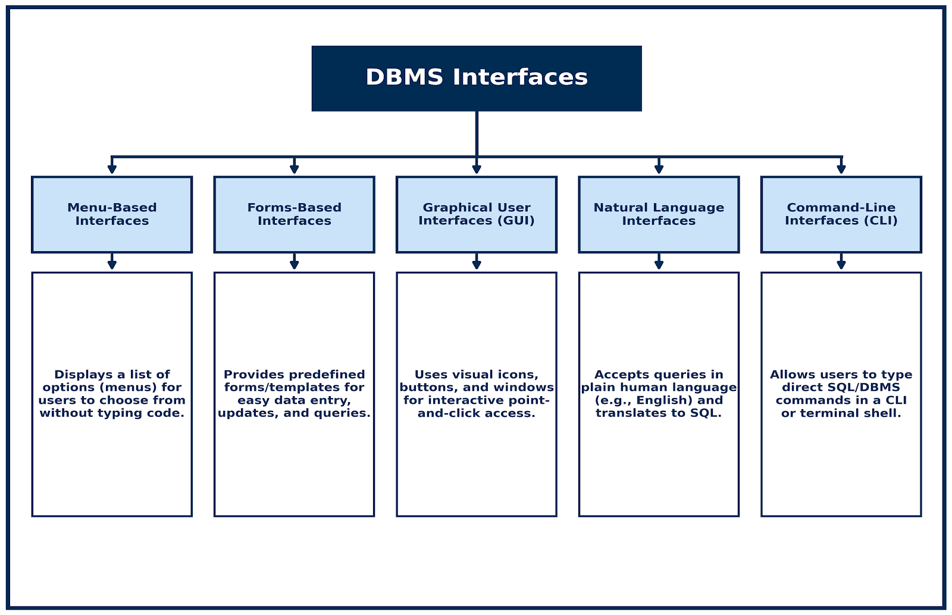
Types of DBMS Interfaces
1. Menu-Based Interfaces
- Shows the user a list of options (menu) to choose from.
- Made for non-technical users who don’t know query languages.
- Example: ATM machines, web-based portals.
2. Forms-Based Interfaces
- Shows a ready-made screen with blank fields (a form). The user just fills in the details.
- When the user submits the form, the application converts it into an SQL command in the background.
- Example: Online job application forms, login screens.
3. Graphical User Interfaces (GUI)
- Shows the database visually using diagrams, tables, and icons.
- Users can build queries, see relationships between tables, and edit tables using drag-and-drop, without typing SQL.
- Example: MySQL Workbench, phpMyAdmin, Microsoft Access.
4. Natural Language Interfaces
- Lets users ask questions in normal, everyday language (like plain English).
- The interface understands the sentence, figures out what is being asked, converts it into an SQL query, and shows the result.
- Example: Search bots, AI-based query assistants.
5. Command-Line Interfaces (CLI)
- The user has to type SQL queries or commands directly into a terminal window.
- Gives maximum control and flexibility, but the user must know SQL and database commands well.
Example: MySQL Command Line Client, Oracle SQL*Plus.