To use a database, we need different types of commands. It depends on what we want to do design tables, change data, control user access, or manage transactions.
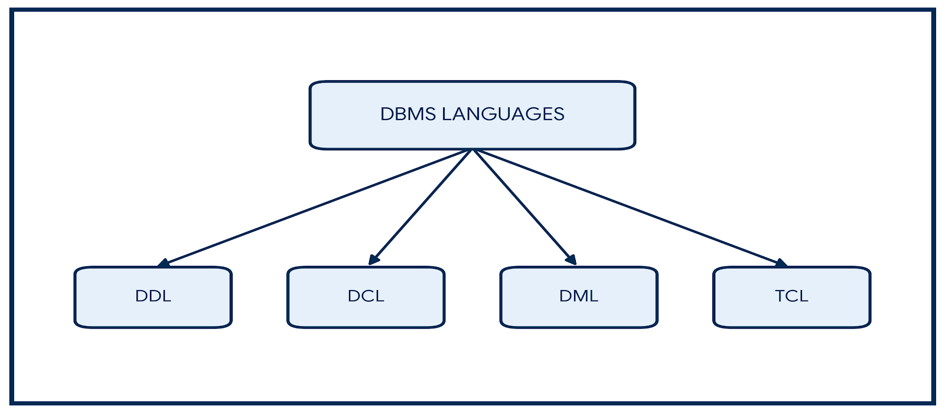
These commands are grouped into 4 main types.
1. Data Definition Language (DDL)
DDL is used to create and change the structure of the database – like tables. It works on the table design, not on the actual data rows.
| Command | What it does | Example |
| CREATE | Builds a new table or schema | CREATE TABLE Student (RollNo INT PRIMARY KEY, Name VARCHAR(30), Marks INT); |
| ALTER | Changes an existing table (adds or removes columns) | ALTER TABLE Student ADD Email VARCHAR(50); |
| DROP | Deletes the table completely, along with its structure and data | DROP TABLE Student; |
2. Data Manipulation Language (DML)
DML is used to work with the actual data stored inside the tables.
| Command | What it does | Example |
| INSERT | Adds new rows of data | INSERT INTO Student VALUES (101, ‘Aman’, 85, ‘aman@email.com’); |
| UPDATE | Changes existing data values | UPDATE Student SET Marks = 90 WHERE RollNo = 101; |
| DELETE | Removes rows based on a condition | DELETE FROM Student WHERE RollNo = 101; |
| SELECT | Fetches data from tables | SELECT Name, Marks FROM Student WHERE Marks > 80; |
3. Data Control Language (DCL)
DCL is used by the Database Administrator (DBA) to control who can access what, and to keep the data secure.
| Command | What it does | Example |
| GRANT | Gives specific permission to a user | GRANT SELECT, INSERT ON Student TO User_Rohan; |
| REVOKE | Takes back permission from a user | REVOKE INSERT ON Student FROM User_Rohan; |
4. Transaction Control Language (TCL)
TCL commands manage the changes made by DML commands. They make sure the database stays correct and safe during a transaction (a group of operations).
| Command | What it does | Example |
| COMMIT | Saves all changes permanently | COMMIT; |
| ROLLBACK | Undoes changes and goes back to the last saved point (used when there is an error) | ROLLBACK; |
| SAVEPOINT | Creates a checkpoint in a transaction, so we can roll back to that exact point instead of undoing everything | SAVEPOINT SP1; |