The Session Layer is the fifth layer of the OSI (Open Systems Interconnection) model. It plays an important role in managing communication between two devices by creating, maintaining, and ending connections called sessions. These sessions allow applications on different systems to exchange data in an organized and controlled manner.
This layer also ensures that communication between systems is properly synchronized and managed. It helps in controlling the dialogue between sender and receiver, making sure data transfer happens smoothly without confusion or interruption.
What is Session Layer?
The Session Layer is the fifth layer of the OSI (Open Systems Interconnection) model. It is responsible for establishing, managing, and terminating communication sessions between two devices or applications over a network.
When two applications communicate with each other, they need a way to start communication, maintain it while exchanging data, and close it properly after completing the communication. The session layer performs these functions.
It also provides services such as dialogue control, synchronization, session management, and recovery. These services help applications communicate in an organized and reliable manner.
For example, when a user participates in an online video conference, the session layer helps manage the communication session between the participants.
Services Provided by Session Layer
The Session Layer of the OSI model is responsible for managing communication sessions between two devices. It ensures that data exchange between applications happens in an organized, controlled, and reliable manner.The session layer provides several important services to support communication between applications. The major services are:
1. Session Establishment, Maintenance, and Termination
The Session Layer first establishes a connection (session) between two communicating devices before data transfer begins. Once the session is created, it keeps the connection active and manages the flow of communication. After the communication is completed, it properly terminates the session, freeing up system resources and ensuring no data is left incomplete.
1. Session Establishment
This function is responsible for creating a connection (session) between two communicating systems before data transfer begins. It ensures that both sender and receiver are ready to communicate and agree on communication rules like synchronization and dialog control.
Following are the steps:
- The sender requests to start a communication session.
- The receiver accepts the request if it is ready.
- Both systems agree on communication rules (like mode and control).
- A session is created between the two devices.
- Connection is confirmed and data transfer begins.
Example:
When a user starts an online meeting, a communication session is established between the participants so that they can communicate with each other.
2. Session Maintenance
Once the session is established, this function keeps the connection active and stable during data transfer. It manages the flow of data, handles synchronization, and ensures that communication continues smoothly without interruption or errors.
- Keeps the communication session active during data transfer.
- Ensures continuous and smooth data exchange between systems.
- Monitors the flow of data to avoid interruptions.
- Maintains synchronization between sender and receiver.
- Handles minor errors without breaking the session.
Example:
During an online video conference, the session remains active while participants exchange audio, video, and other information.
3. Session Termination
After completing the communication, this function is responsible for properly closing the session. It releases all allocated resources, confirms that data transfer is complete, and ensures that no unnecessary connection remains active in the network.
- Ends the communication session after data transfer is completed.
- Sends a final signal to confirm session closure.
- Ensures all data has been successfully received.
- Releases network resources like memory and bandwidth.
- Clears session information from both sender and receiver systems.
Example:
When a user leaves an online meeting, the communication session between that user and the meeting service is terminated.
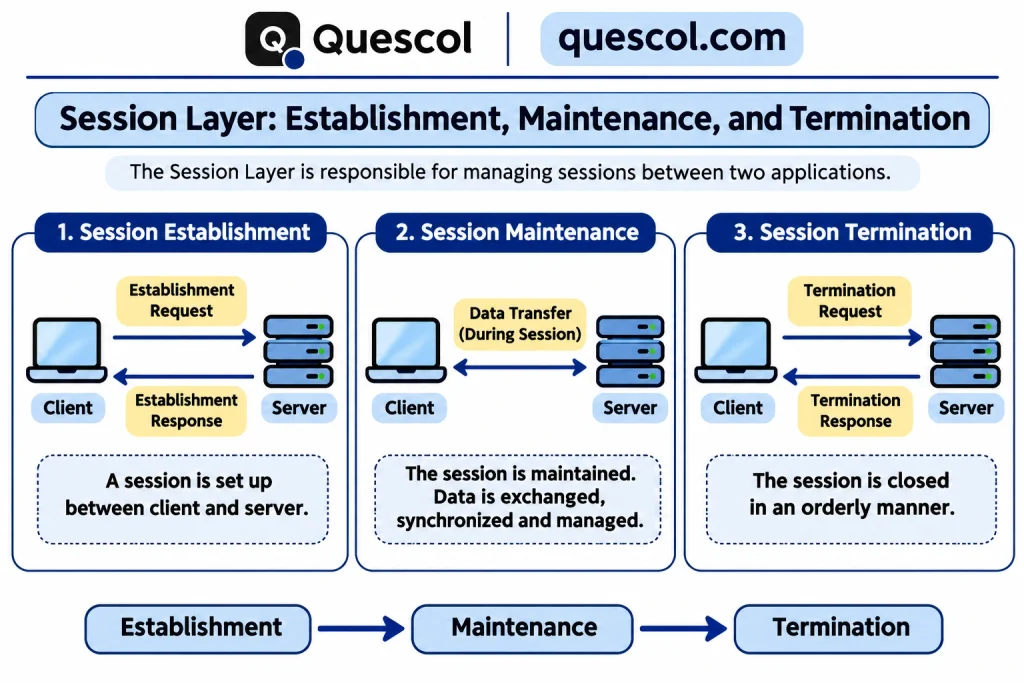
Figure: Session Establishment, Maintenance, and Termination
2. Dialog Control
Dialog control is an important service of the session layer. It controls the way two applications communicate with each other.
It determines whether both applications can send data at the same time or whether they must take turns sending data.
The session layer supports two main modes of communication:
a) Half-Duplex Communication
In half-duplex communication, data can be transmitted in both directions, but only one application can send data at a time.
Example: Walkie-talkies are an example of half-duplex communication. Only one person can speak at a time while the other person listens.
b) Full-Duplex Communication
In full-duplex communication, both applications can send and receive data simultaneously.
Example: During a telephone conversation, both people can speak and listen at the same time.
Dialog control helps organize communication and prevents confusion during data exchange.
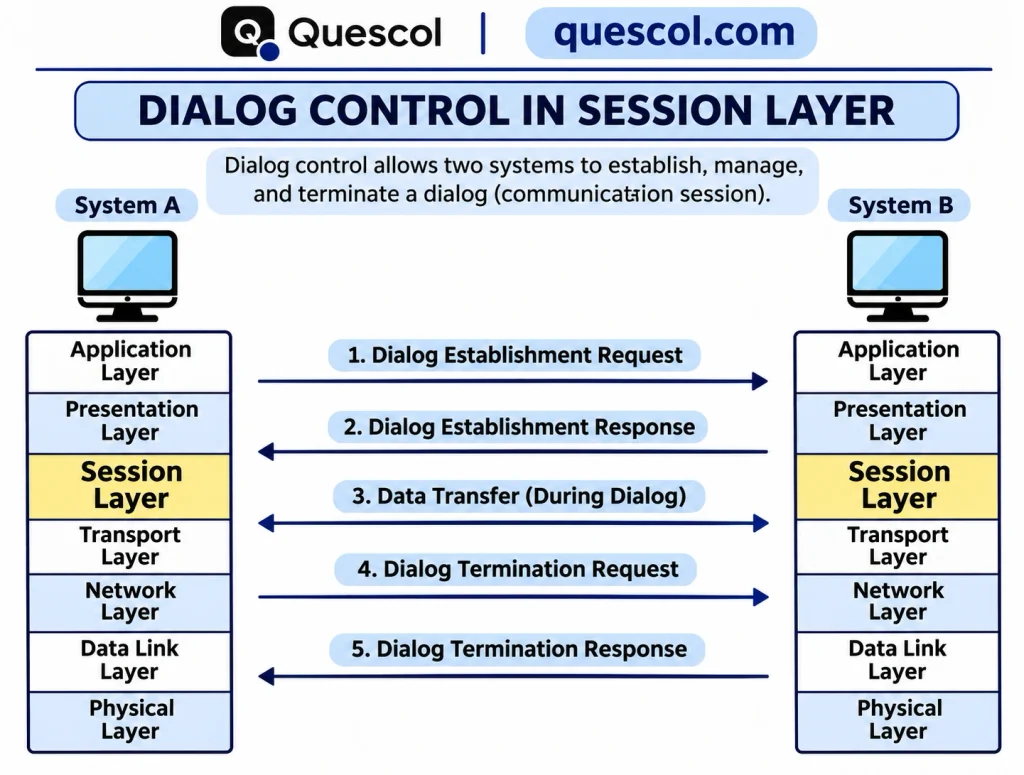
Figure: Dialog Control
- The Session Layer identifies the type of communication needed between systems.
- It sets the communication mode (Simplex, Half-duplex, or Full-duplex).
- It decides the direction of data flow between sender and receiver.
- It controls turn-taking in communication (who sends data and when).
- It ensures smooth and organized exchange of information without conflict.
3. Synchronization
Synchronization helps in maintaining checkpoints during data transfer. If a large file is being transmitted, the Session Layer inserts checkpoints so that in case of failure, the process can restart from the last saved point instead of beginning again. This improves efficiency and saves time.
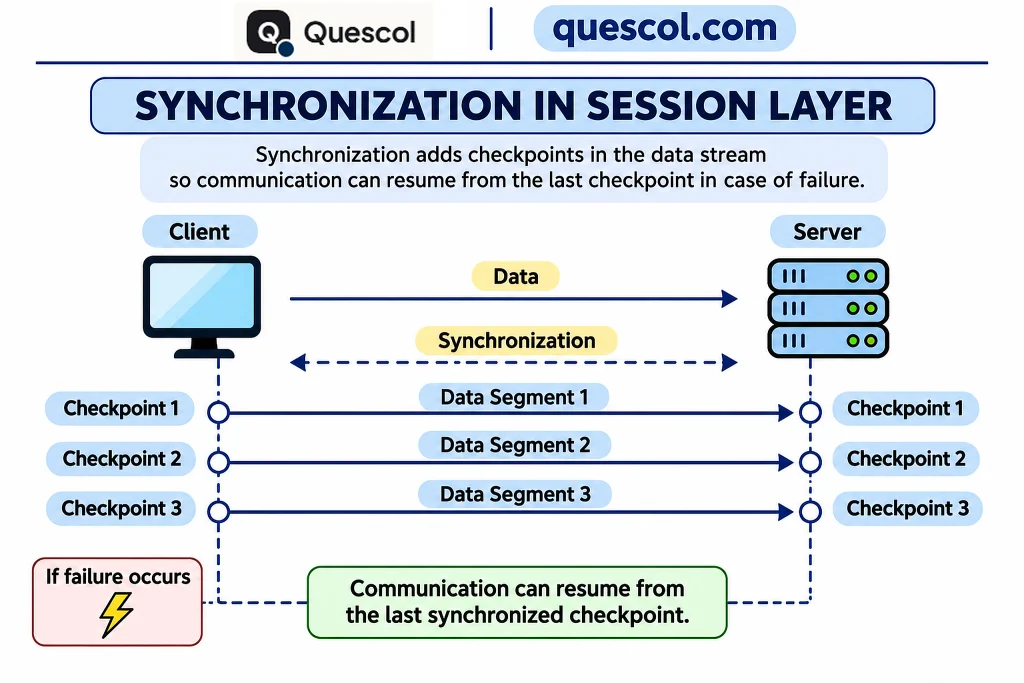
Figure: Synchronization
- Synchronization is used to coordinate data transfer between sender and receiver so that communication happens in a proper order.
- It provides checkpoints (synchronization points) during data transmission, especially in large file transfers.
- If a failure occurs, the system can restart from the last checkpoint instead of sending the entire data again.
- It ensures data integrity, meaning the received data remains complete and in correct sequence.
- It helps in reducing data loss and saving time by avoiding retransmission from the beginning.
- It supports continuous and smooth communication even in unstable network conditions.
Example:
Suppose a user is transferring a large file from one computer to another. If the transfer is interrupted after 60% completion, synchronization points can help identify a suitable point from which the transfer can resume, provided the application and recovery mechanism support it.
4. Token Management
Token management is a service that controls which application has permission to perform certain communication operations.
A token is a special control mechanism used to decide which application can perform a particular action during a communication session.
When one application holds the token, it has permission to perform the operation associated with that token.
Main functions:
- Controls access to communication operations.
- Prevents both applications from performing conflicting operations.
- Manages the transfer of communication rights between applications.
- Helps maintain organized communication.
Example:
In a half-duplex communication system, a token can determine which application is allowed to send data at a particular time. After completing its turn, the application can pass the token to the other application.
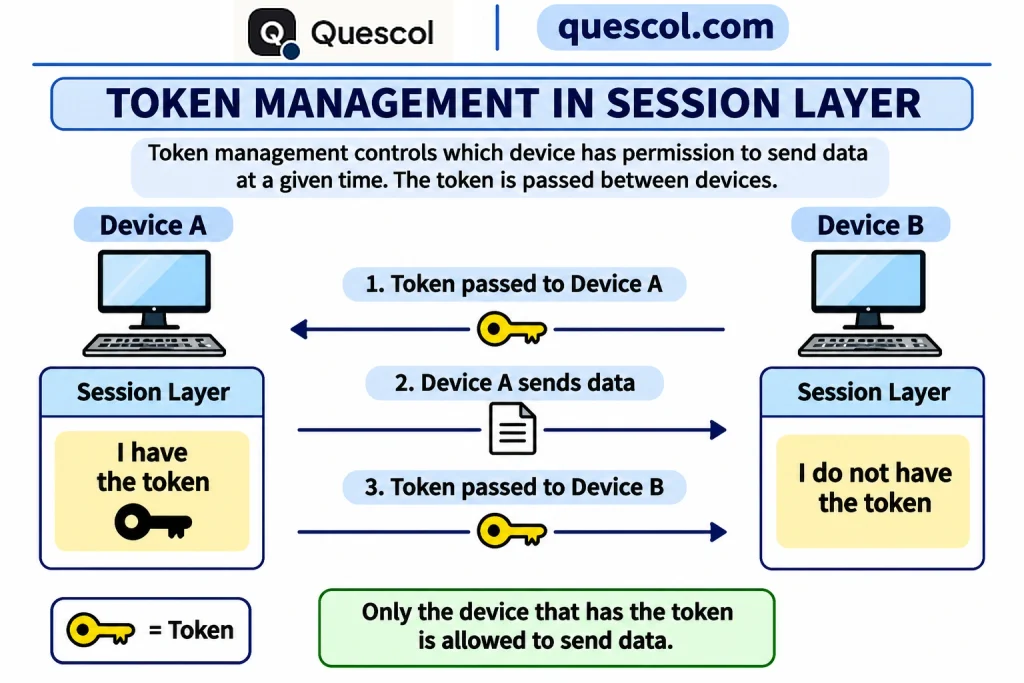
Figure: Token Management
5. Session Recovery
If a connection breaks due to network failure or system crash, the Session Layer helps in restoring the session. It uses checkpoints and saved session information to continue communication from where it stopped, instead of restarting the entire process.
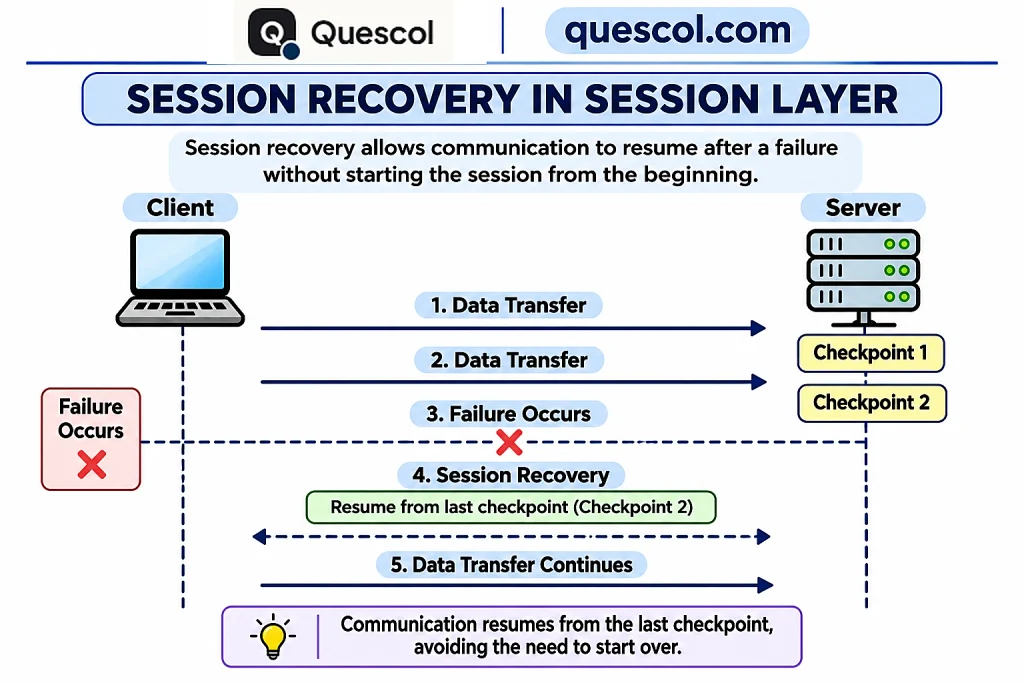
Figure: Session Recovery
- Session Recovery is a service that helps in restoring a communication session after a failure or interruption.
- It allows the system to resume data transfer from the last saved checkpoint instead of starting again.
- It uses stored session information to rebuild the connection between sender and receiver.
- It helps in reducing data loss during network or system failures.
- It improves efficiency by saving time and resources during retransmission.
- It ensures continuous communication, especially in long data transfers.
- It is very useful in unstable network environments where disconnections may occur frequently.
Example:
Consider an online banking application where a user performs multiple operations, such as checking account details, transferring money, and downloading a statement. These operations can be treated as separate logical activities within the overall application session.
6. Authentication
Authentication ensures secure communication between systems by verifying the identity of users or devices before allowing a session to begin. This helps prevent unauthorized access and protects sensitive data during transmission.
- Authentication is a service that verifies the identity of a user or device before starting a session.
- It ensures that only authorized users are allowed to access the communication system.
- It uses methods like usernames, passwords, digital certificates, or security tokens for verification.
- It helps in preventing unauthorized access and security threats in a network.
- It builds trust between sender and receiver before data exchange begins.
- It ensures that the communication session is secure and reliable.
- It protects sensitive data from misuse or interception during transmission.
Advantages of Session Layer
The Session Layer provides several important advantages in the OSI model by making communication between two devices more reliable, organized, and efficient. It acts as a manager for communication sessions and ensures that data exchange happens smoothly without interruption or confusion.
1. Efficient Session Management
The Session Layer properly handles the entire communication process by establishing, maintaining, and terminating sessions between two systems. This ensures that applications can communicate without worrying about connection handling, making the process more structured and reliable.
2. Session Recovery
One of the key advantages is its ability to recover interrupted sessions. If the connection breaks due to network failure or system crash, the Session Layer allows the communication to continue from the last saved checkpoint, instead of restarting the whole transmission. This saves time and reduces effort.
3. Data Synchronization
It provides synchronization points (checkpoints) during data transfer, especially useful in large file transmissions. These checkpoints ensure that even if failure occurs, only the lost part of data needs to be retransmitted, improving efficiency and reducing data loss.
4. Controlled Communication (Dialog Control)
The Session Layer controls the direction of communication between devices. It decides whether data transfer should be Simplex (one-way), Half-duplex (one at a time), or Full-duplex (both sides simultaneously). This control avoids confusion and ensures smooth coordination between sender and receiver.
5. Improved Security through Authentication
Before starting a session, the Session Layer can perform authentication checks to verify the identity of users or systems. This prevents unauthorized access and ensures that only valid users can communicate within the session.
6. Reduced Data Loss
By using checkpoints and recovery mechanisms, the Session Layer minimizes the risk of losing large amounts of data during transmission failures. Only the incomplete portion of data needs to be resent.
7. Efficient Use of Network Resources
It ensures that sessions are properly closed after communication ends, which frees up system resources like memory and bandwidth. This improves overall network performance and prevents resource wastage.