IMAP (Internet Message Access Protocol) and POP (Post Office Protocol) are two commonly used email retrieval protocols in computer networks. Both protocols allow users to access and retrieve incoming email messages from a mail server through email applications such as Gmail, Microsoft Outlook, and Mozilla Thunderbird.
Although IMAP and POP perform a similar basic function of retrieving emails, they differ in how they download, store, and manage email messages.
IMAP allows users to access and manage emails directly on the mail server. It generally keeps messages stored on the server and synchronizes mailbox changes across multiple devices.
POP, particularly POP3 (Post Office Protocol Version 3), downloads email messages from the mail server to the user’s local device. Depending on its configuration, it may delete downloaded messages from the server or leave copies there.
Both protocols are used to retrieve incoming emails, but the choice depends on the user’s requirements. IMAP is suitable for accessing emails from multiple devices, whereas POP3 is useful for downloading and storing emails locally.
What Is IMAP (Internet Message Access Protocol)?
IMAP is an email retrieval protocol that allows users to access, read, organize, and manage email messages directly from a mail server. It generally keeps emails stored on the server, allowing users to access the same mailbox from multiple devices.
When a user connects to an email account using IMAP, the email application communicates with the mail server to retrieve messages and display them. Users can read emails, delete unwanted messages, create folders, and move emails between folders.
Any changes made to the mailbox can be synchronized with the server and reflected on other connected devices.
Example: Suppose a user opens an email account on a smartphone and reads an incoming message. Later, when the same account is accessed from a laptop, the email appears as read because IMAP synchronizes the mailbox information.
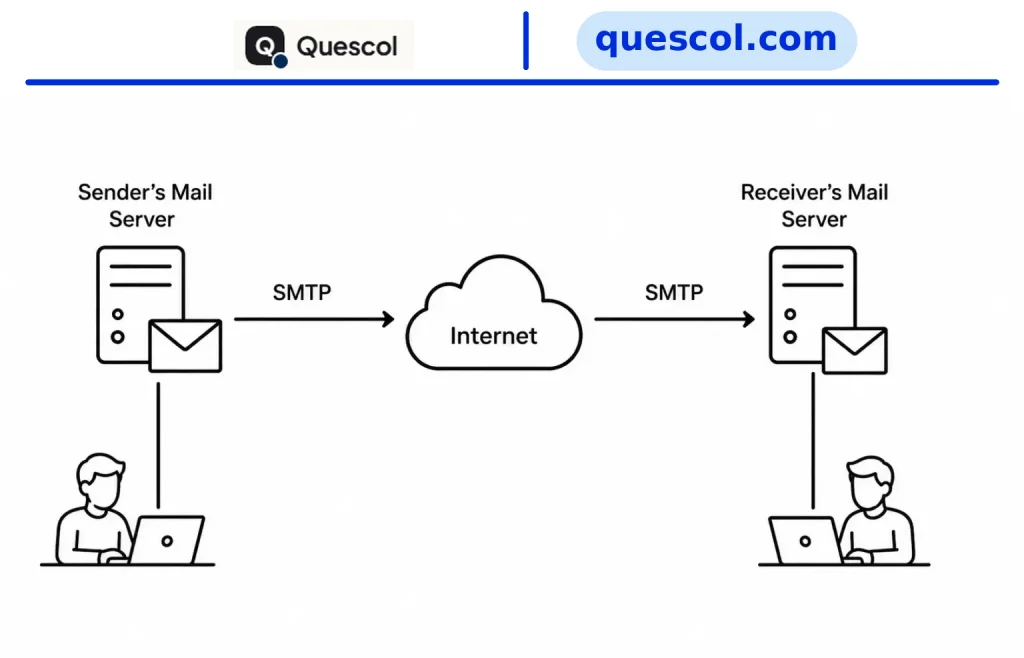
Figure: IMAP
Common IMAP Ports:
- TCP Port 143 – Standard IMAP communication.
- TCP Port 993 – IMAP over implicit TLS for secure communication.
What Is POP (Post Office Protocol)?
POP (Post Office Protocol) is an email retrieval protocol used to download incoming email messages from a mail server to a user’s local device. Its commonly used version is POP3 (Post Office Protocol Version 3).
When a user connects to a mail server using POP3, the email application retrieves available messages and stores them locally on the device. Depending on the configuration, downloaded emails may be deleted from the server or retained on it.
Once the messages are downloaded, users can read them without continuously connecting to the mail server. Therefore, POP3 is useful for people who prefer storing and managing their emails on a single device.
Example: Suppose a user receives an email and opens their email application configured with POP3. The application downloads the message from the mail server and stores it on the computer. The user can then read the downloaded email even without an Internet connection.
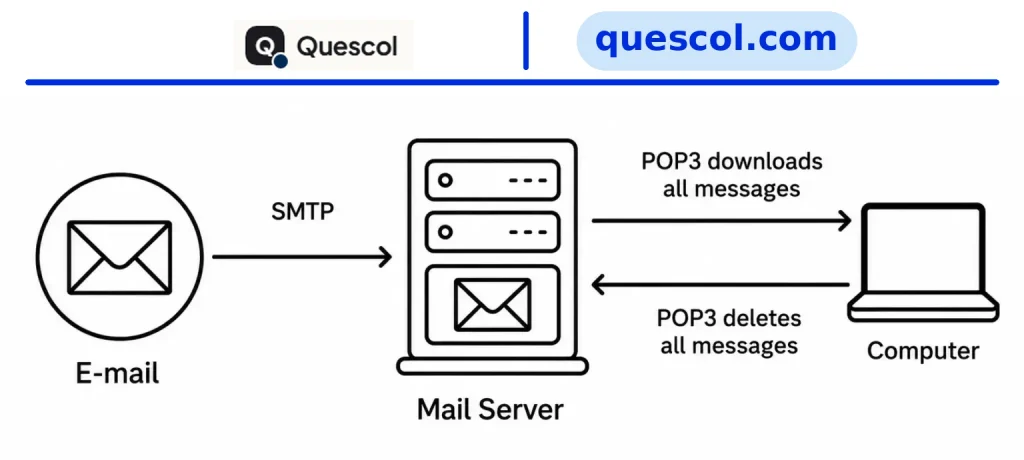
Figure: POP
Common POP3 Ports:
- TCP Port 110 – Standard POP3 communication.
- TCP Port 995 – POP3 over implicit TLS for secure communication.
Difference Between IMAP and POP
IMAP and POP are both used to retrieve incoming emails from a mail server. However, they differ in their storage methods, synchronization capabilities, email management features, and working mechanisms.
The following table explains the major differences between IMAP and POP3.
| IMAP | POP3 |
|---|---|
| IMAP stands for Internet Message Access Protocol. | POP stands for Post Office Protocol. |
| It allows users to access and manage emails directly on the mail server. | It downloads emails from the mail server to a local device. |
| Emails are generally stored on the mail server. | Emails are generally stored on the local device after downloading. |
| It supports synchronization across multiple devices. | It provides limited synchronization across multiple devices. |
| Changes made to emails can be reflected across connected devices. | Changes made on one device may not be reflected on other devices. |
| It allows remote mailbox management. | It mainly focuses on downloading email messages. |
| It supports access to multiple folders stored on the server. | It provides more limited mailbox management features. |
| It is suitable for users accessing emails from multiple devices. | It is suitable for users who mainly access emails from one device. |
| It generally requires an Internet connection for retrieving and synchronizing emails. | Downloaded emails can be accessed offline. |
| It uses TCP port 143 for standard communication. | It uses TCP port 110 for standard communication. |
| It uses TCP port 993 for implicit TLS security. | It uses TCP port 995 for implicit TLS security. |
Why Are IMAP and POP Used?
IMAP and POP are used to retrieve incoming email messages from a mail server and make them available through email applications. They provide different methods of accessing and storing emails according to users’ requirements.
1. Why Is IMAP Used?
IMAP is mainly used when users need to access and manage their email accounts from multiple devices. It keeps emails stored on the mail server and synchronizes mailbox changes across connected devices.
The main reasons for using IMAP are:
- Multi-Device Access: It allows users to access the same email account from smartphones, laptops, tablets, and desktop computers.
- Email Synchronization: It synchronizes mailbox changes, such as reading, deleting, and moving emails, across connected devices.
- Centralized Storage: It generally keeps emails stored on the mail server, allowing users to access their messages from different locations.
- Mailbox Management: It allows users to create folders, organize messages, and manage emails directly on the server.
- Convenient Email Access: It provides a consistent email experience when users switch between different devices.
Example: A business employee can access official emails on an office computer and later check the same mailbox using a smartphone. IMAP keeps the mailbox information synchronized between both devices.
2. Why Is POP Used?
POP3 is mainly used when users want to download incoming emails from a mail server and store them on their local devices. It allows users to access downloaded messages without requiring a continuous Internet connection.
The main reasons for using POP3 are:
- Local Email Storage: It downloads email messages and stores them on the user’s computer or other local device.
- Offline Email Access: It allows users to read previously downloaded messages without an Internet connection.
- Reduced Server Storage: It can delete downloaded messages from the server, depending on the configuration, helping reduce server storage usage.
- Simple Email Retrieval: It provides a straightforward method for downloading incoming messages.
- Single-Device Access: It is useful for users who mainly access their emails from one computer or device.
Example: A user who mainly checks emails on a personal computer can configure POP3 to download messages and store them locally. The user can then read those messages even when the computer is disconnected from the Internet.
How to Choose Between IMAP and POP?
Choosing between IMAP and POP3 depends on how users want to access, store, and manage their email messages.
- Choose IMAP if you regularly access emails from multiple devices and want your mailbox to remain synchronized.
- Choose POP3 if you mainly use one device and prefer downloading and storing emails locally.
- Choose IMAP if you need to manage folders and email status across different devices.
- Choose POP3 if offline access to previously downloaded messages and local email storage are your main priorities.
For most modern users who access email through multiple devices, IMAP is generally the more convenient option.
Similarities Between IMAP and POP
Although IMAP and POP3 work differently, they share several common characteristics.
- Email Retrieval: Both protocols allow users to retrieve incoming email messages from a mail server.
- Email Application Support: Both can be used with email applications such as Microsoft Outlook and Mozilla Thunderbird.
- Client-Server Communication: Both establish communication between an email application and a mail server.
- Support for Email Access: Both make incoming email messages available to users through email applications.
- Use of TCP: Both use TCP connections to communicate with mail servers.
- Authentication: Both support mechanisms for identifying and authenticating users before providing mailbox access.
Examples of IMAP and POP Usage
Consider a user who receives an email from a friend.
Using IMAP:
- The email arrives at the recipient’s mail server.
- The user opens their email application on a smartphone.
- IMAP retrieves the required email information from the server.
- The user reads the message and marks it as read.
- When the same account is opened on a laptop, the message can also appear as read because the mailbox changes are synchronized.
Using POP3:
- The email arrives at the recipient’s mail server.
- The user opens an email application configured with POP3.
- POP3 downloads the available email message to the local device.
- The message is stored on the computer.
- The user can read the downloaded message later without an Internet connection.
- Depending on the settings, the downloaded message may remain on the server or be deleted from it.
These examples show how IMAP and POP3 provide different methods of retrieving and managing incoming email messages.